
Help center

Go to IMC Vendor Portal

Entering Shipment Info

Enter container, chassis, and stop-level details for an accepted order.

Once an order is Accepted, enter the shipment details IMC and your driver need before pickup.
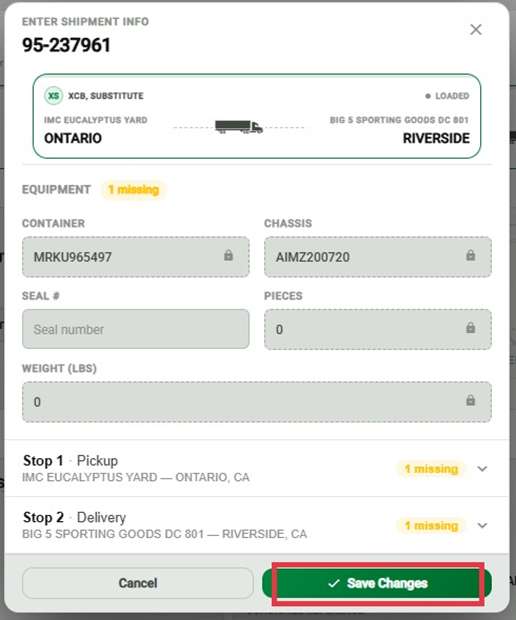
The Enter Shipment Info modal in the IMC Vendor Portal, showing Container #, Chassis #, Seal #, Pieces, and Weight fields, per-stop rows, and the Save Changes button.

Shipment Info

  • Container #

  • Chassis #

  • Seal #

  • Pieces

  • Weight

Per-Stop Info

Enter this for each stop on the shipment:

  • Appointment Window

  • Arrival

  • Departure


Important

  • Enter Arrival and Departure times for each stop as they happen — IMC and the vendor both rely on these to track the shipment.

Did this answer your question?
😞
😐
😁