
Role groups control what a user can see and do in the IMC Vendor Portal.
What a Role Group Is
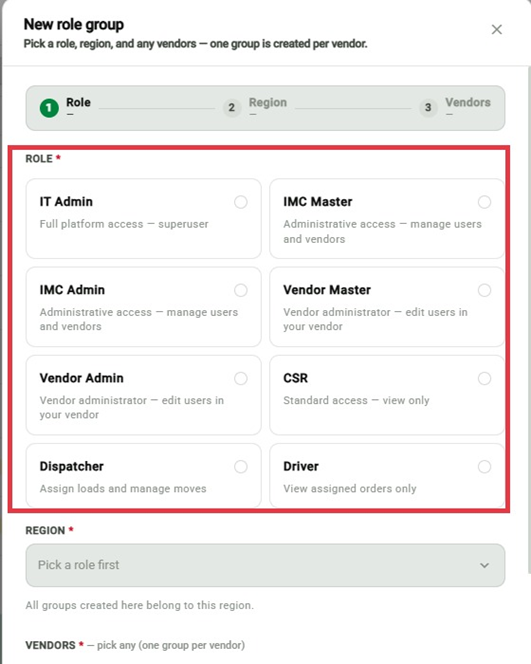
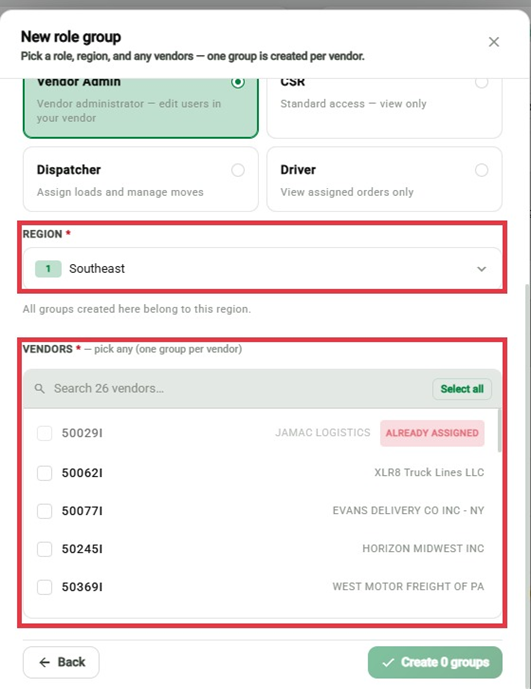
Each role group pairs a role with a region and a single vendor. A user can have multiple role groups to cover more than one vendor or region.
Adding or Editing Role Groups
Open the user in User Administration.
Click Add Role Group to create a new one, or select an existing role group to edit it.
Set the Role, Region, and Vendor.
Save.
Important
A single role group covers one vendor and one region. If a user needs access to more than one, add a separate role group for each.